
A marketing automation consultant is a specialist who designs, builds, and optimizes the automated workflows that handle repetitive marketing tasks without human intervention: email sequences that nurture leads, CRM pipelines that score and route prospects, abandoned cart reminders that recover revenue, and AI-powered content distribution that schedules posts across platforms. According to HubSpot’s 2026 State of Marketing, 76% of companies using marketing automation see positive ROI within the first year, and automated email campaigns generate 320% more revenue than non-automated campaigns. A marketing automation consultant builds the systems that produce those results.
The distinction from a general marketing consultant: a marketing consultant decides what strategy to pursue. A marketing automation consultant builds the technical infrastructure that executes that strategy automatically. They work inside platforms (HubSpot, ActiveCampaign, Mailchimp, Klaviyo, Zapier, Make) connecting triggers to actions so marketing runs on autopilot. Most small businesses know they should automate but do not know which workflows to build first, which platform to use, or how to connect their existing tools. A marketing automation consultant solves all 3 problems.
Key Takeaways
- A marketing automation consultant builds the technical workflows that execute marketing tasks automatically: email sequences, lead scoring, CRM pipelines, cart recovery, onboarding, and cross-platform distribution.
- According to HubSpot 2026, 76% of companies see positive ROI from marketing automation within 12 months. Automated emails generate 320% more revenue than manual campaigns.
- The 8 most valuable automations: welcome sequence, lead scoring, abandoned cart recovery, appointment reminder, review request, re-engagement sequence, content distribution, and AI-powered personalization.
- A marketing automation consultant charges $75 to $200/hour or $2,000 to $8,000 per automation project. At $15/hour, Lorphic builds these workflows at accessible pricing.
- According to Salesforce’s 2026 report, businesses using automation save an average of 6 hours per week on marketing tasks. For a small business owner, that is 6 hours returned to running the business.
- The biggest mistake: automating before strategizing. A marketing automation consultant should design the workflow strategy first, then build it in the platform.
Table of Contents
- What Does a Marketing Automation Consultant Do?
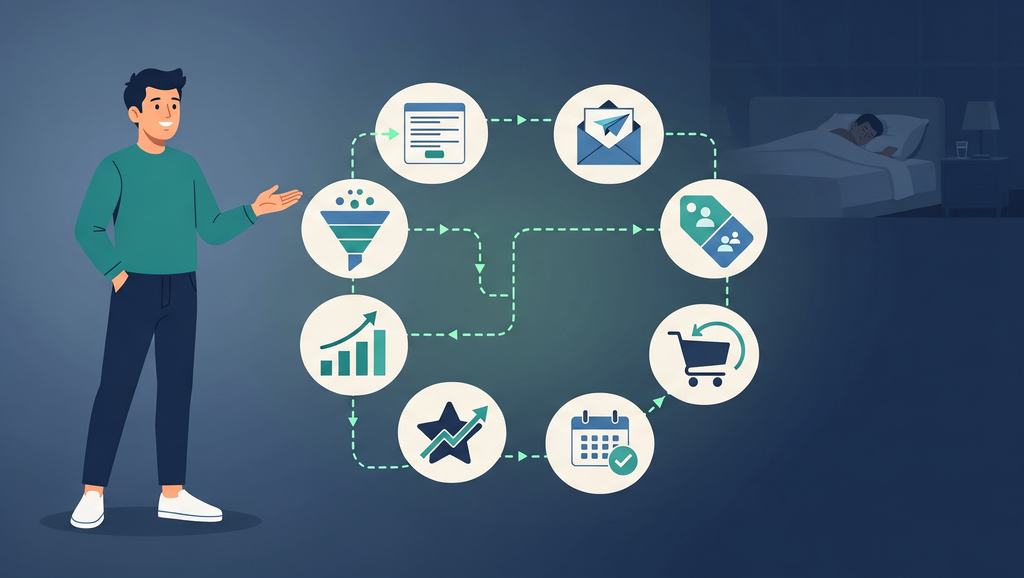
- 8 Marketing Automation Workflows Worth Building
- Which Automation Platform Should You Use?
- How Much Does a Marketing Automation Consultant Cost?
- When Do You Need a Marketing Automation Consultant?
- Marketing Automation Consultant vs CRM Consultant vs Marketing Consultant
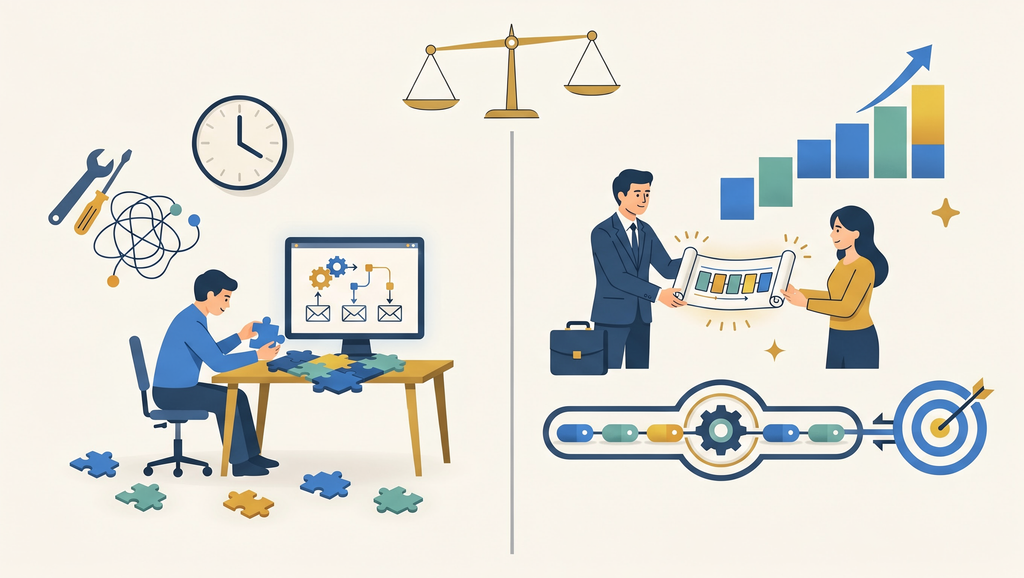
- Decision Framework: DIY vs Hiring a Consultant
- How Lorphic Builds Marketing Automation
- FAQs About Marketing Automation Consultants
What Does a Marketing Automation Consultant Do?
A marketing automation consultant performs 4 core functions.
Platform selection. Evaluating which marketing automation platform fits your business size, budget, and technical requirements. HubSpot works for growing businesses with budget. Mailchimp works for small businesses starting simple. ActiveCampaign works for email-heavy businesses. Klaviyo works for ecommerce. A marketing automation consultant prevents the expensive mistake of choosing a platform you will outgrow in 6 months or overpaying for features you will never use.
Workflow design. Mapping the automated sequences: what triggers each workflow, what actions follow, what conditions branch the logic, and what the end state looks like. A marketing automation consultant designs workflows on paper before touching the platform, ensuring the logic serves the business goal.
Technical implementation. Building the workflows inside the platform: creating email templates, setting up triggers, configuring lead scoring rules, connecting CRM fields, integrating with other tools (payment processors, booking systems, form builders), and testing every path.
Optimization. Monitoring automation performance, identifying bottlenecks (where leads drop out of sequences), A/B testing email subject lines and send times, and refining workflows based on data. A marketing automation consultant does not just build and leave. The workflows improve over time.
8 Marketing Automation Workflows Worth Building
Workflow 1: Welcome email sequence
Trigger: New subscriber or lead captures their email. What it does: Sends 3 to 5 emails over 7 to 14 days introducing your business, delivering value, and guiding toward a first purchase or consultation. Revenue impact: Welcome sequences generate 3x more revenue per email than regular campaigns according to Omnisend data.
Workflow 2: Lead scoring and routing
Trigger: Lead visits specific pages, opens emails, downloads content, or fills out forms. What it does: Assigns points based on engagement behavior. When a lead reaches a threshold score, the CRM automatically notifies sales or moves the lead to a “hot leads” pipeline. Revenue impact: Sales teams focus on qualified leads instead of cold contacts. Conversion rates increase 20% to 30% when sales contacts scored leads versus unsorted lists.
Workflow 3: Abandoned cart recovery
Trigger: Customer adds items to cart but does not complete purchase. What it does: Sends 2 to 3 emails over 24 to 72 hours reminding them of the cart, addressing common objections, and optionally offering a small incentive. Revenue impact: Abandoned cart emails recover 5% to 10% of lost carts. For an ecommerce business losing $10,000/month to abandoned carts, that is $500 to $1,000 recovered monthly from a single automation.
Workflow 4: Appointment reminder sequence
Trigger: Client books an appointment or consultation. What it does: Sends confirmation, 24-hour reminder, and 1-hour reminder. Reduces no-shows by 30% to 50% according to appointment scheduling platforms. Revenue impact: Every prevented no-show is recovered revenue. For a service business with 10 appointments per week and a 20% no-show rate, reducing no-shows to 10% saves 4 to 5 appointments per month.
Workflow 5: Post-service review request
Trigger: Service is completed or product is delivered. What it does: Sends an email 24 to 48 hours after completion asking for a Google review with a direct link to the review form. Revenue impact: Consistent review requests build the review count that drives local SEO rankings. Businesses with 50+ reviews receive 266% more leads than businesses with fewer than 5 according to BrightLocal 2026.
Workflow 6: Re-engagement sequence
Trigger: Contact has not opened emails or visited the website in 60 to 90 days. What it does: Sends 2 to 3 emails attempting to re-engage: “We miss you” content, a special offer, or a “still interested?” check. Unresponsive contacts are moved to inactive status to protect email deliverability. Revenue impact: Recovers 5% to 15% of lapsed contacts. Cleans the email list to improve deliverability for active subscribers.
Workflow 7: Content distribution automation
Trigger: New blog post or social media content is published. What it does: Automatically distributes the content across email (newsletter segment), social platforms (scheduled posts), and internal Slack/Teams notifications. A marketing automation consultant connects CMS to social schedulers to email platforms. Revenue impact: Ensures every content piece reaches its full audience without manual posting.
Workflow 8: AI-powered personalization
Trigger: Contact behavior data (pages visited, products viewed, content consumed). What it does: AI tools analyze behavior patterns and automatically segment contacts, personalize email content, recommend products, and adjust send timing. This is the newest automation layer and the fastest growing in 2026. Revenue impact: Personalized campaigns produce 6x higher transaction rates according to Experian data.
Which Automation Platform Should You Use?
| Platform | Best For | Monthly Cost | Learning Curve | AI Features |
|---|---|---|---|---|
| HubSpot | Growing businesses, full CRM + automation | $800+/month (Marketing Hub Pro) | Medium | Built-in AI assistant |
| ActiveCampaign | Email-heavy businesses | $29 to $149/month | Medium | AI predictions, send timing |
| Mailchimp | Small businesses starting simple | $13 to $350/month | Low | Basic AI recommendations |
| Klaviyo | Ecommerce (Shopify, WooCommerce) | $20 to $500+/month | Medium | AI segmentation, product recommendations |
| Zapier | Connecting tools that do not integrate natively | $19.99 to $69.50/month | Low | AI-powered Zaps |
| Make (Integromat) | Complex multi-step automations | $9 to $29/month | High | Visual workflow builder |
| Brevo (Sendinblue) | Budget-friendly all-in-one | $25 to $65/month | Low | Basic automation |
A marketing automation consultant selects the platform based on 4 factors: your existing tech stack (what integrates?), your primary use case (email, CRM, ecommerce?), your budget, and your team’s technical comfort level.
How Much Does a Marketing Automation Consultant Cost?
| Engagement Type | Cost | What You Get |
|---|---|---|
| Hourly consulting | $75 to $200/hour | On-demand automation advice and troubleshooting |
| Single workflow build | $500 to $2,000 | One complete automation (design + build + test) |
| Full automation project (5 to 8 workflows) | $2,000 to $8,000 | Platform setup, 5 to 8 workflows, integrations, training |
| Monthly management retainer | $500 to $2,000/month | Ongoing optimization, new workflow builds, A/B testing |
| Hourly model at $15/hr | $15/hour | Automation consulting + implementation at accessible pricing |
For Connecticut small businesses in Stamford, New Haven, Hartford, Bridgeport, Danbury, and Norwalk, a full automation project ($2,000 to $8,000 at standard rates, or $300 to $1,200 at $15/hour) builds the 5 to 8 workflows that run marketing on autopilot.
When Do You Need a Marketing Automation Consultant?
| Signal | What It Means |
|---|---|
| You manually send the same emails repeatedly | Basic automation (welcome, follow-up) saves hours weekly |
| Leads fall through the cracks | CRM automation with scoring and routing prevents lost opportunities |
| No-shows cost you money | Appointment reminder automation reduces no-shows 30% to 50% |
| Your email list is growing but revenue from email is flat | Segmentation and nurture sequences convert subscribers to customers |
| You publish content but forget to promote it | Distribution automation ensures every piece reaches its audience |
| You bought a platform but do not use half its features | A consultant configures what you already paid for |
Marketing Automation Consultant vs CRM Consultant vs Marketing Consultant
| Factor | Marketing Automation Consultant | CRM Consultant | Marketing Consultant |
|---|---|---|---|
| Focus | Automated marketing workflows | Customer data and sales pipeline management | Marketing strategy and channel planning |
| Primary tools | ActiveCampaign, HubSpot, Klaviyo, Zapier | Salesforce, HubSpot CRM, Zoho | Strategy documents, audits, plans |
| Builds | Email sequences, triggers, scoring, integrations | Contact databases, sales pipelines, reporting | Marketing plans, channel strategies, budgets |
| Technical depth | High (platform configuration, integrations) | High (database design, custom fields, reporting) | Low to medium (strategy, not implementation) |
| Best for | Businesses wanting marketing to run automatically | Businesses needing customer data organized | Businesses needing strategic direction |
Decision Framework: DIY vs Hiring a Consultant
| Your Situation | Recommended Approach | Cost |
|---|---|---|
| Simple email automation (1 to 2 sequences), tech-comfortable | DIY using platform tutorials | $0 (platform cost only) |
| 3 to 5 workflows, moderate complexity, limited time | Hire a marketing automation consultant (project) | $500 to $3,000 |
| Full automation overhaul (5 to 8 workflows + CRM + integrations) | Hire a consultant (full project) | $2,000 to $8,000 |
| Ongoing optimization and new workflow builds | Monthly retainer | $500 to $2,000/month |
| Need strategy + automation + execution at one rate | Hourly-model agency at $15/hr | Based on hours needed |
How Lorphic Builds Marketing Automation
Lorphic is a digital marketing agency based in Guilford, Connecticut that builds marketing automation workflows as part of its integrated SEO and social media marketing services. The agency’s $15/hour pricing model means automation setup (welcome sequences, review requests, lead scoring, content distribution) is built alongside keyword research, on-page optimization, local SEO, Google Business Profile management, and video production planning at the same rate.
For Connecticut small businesses, the most common automation project starts with 3 workflows: welcome sequence, review request, and appointment reminders. These 3 alone save 4 to 6 hours per week and recover lost revenue from no-shows and unrequested reviews. Resources are on the blog, with a free consultation and complimentary website report available.
Frequently Asked Questions About Marketing Automation Consultants
What does a marketing automation consultant do?
A marketing automation consultant designs, builds, and optimizes automated marketing workflows: email sequences, lead scoring, CRM pipelines, cart recovery, appointment reminders, review requests, and content distribution. They select the right platform, design the workflow logic, implement it technically, and optimize performance over time.
How much does a marketing automation consultant cost?
A single workflow build costs $500 to $2,000. A full automation project (5 to 8 workflows with platform setup and integrations) costs $2,000 to $8,000. Monthly management retainers run $500 to $2,000. At $15/hour, a full project costs $300 to $1,200 (20 to 80 hours).
What is the most important marketing automation to set up first?
The welcome email sequence is the highest-priority first automation. It runs immediately after someone joins your email list, introduces your business, delivers value, and guides toward a first action. Welcome sequences generate 3x more revenue per email than regular campaigns. After the welcome sequence, set up appointment reminders (if service-based) or abandoned cart recovery (if ecommerce).
Which marketing automation platform is best for small business?
For small businesses starting with automation: Mailchimp ($13/month, lowest learning curve) or Brevo ($25/month). For email-heavy businesses: ActiveCampaign ($29/month, stronger automation). For ecommerce: Klaviyo ($20/month, Shopify integration). For businesses wanting CRM + automation: HubSpot ($800+/month, most comprehensive). A marketing automation consultant matches the platform to your needs and budget.
Can marketing automation work for local businesses?
Yes. The most valuable automations for local businesses are: appointment reminder sequences (reduce no-shows 30% to 50%), post-service review requests (build Google reviews for local SEO), welcome sequences for new contacts, and re-engagement emails for lapsed customers. These 4 workflows address the specific challenges local businesses face.
How long does it take to set up marketing automation?
A single workflow (design, build, test) takes 4 to 8 hours. A full automation project (platform setup, 5 to 8 workflows, integrations, testing) takes 20 to 60 hours over 2 to 6 weeks. Most businesses see results from automation within the first month: welcome sequences engage immediately, review requests generate reviews within days, and reminder sequences reduce no-shows starting with the first scheduled appointment.
Curated by Lorphic
Digital intelligence. Clarity. Truth.